
A message can tell somebody that something needs to be done. That does not automatically make it a task. On a construction project, an instruction becomes manageable only when the team knows what result is expected, where the work belongs, who owns it, when it is due and how completion will be confirmed. Without those details, even an important request can disappear between delivery updates, photographs and dozens of other conversations.
Messaging apps are useful because they are fast. The problem starts when the message itself becomes the only record of the work. Nobody can reliably see whether the instruction was accepted, whether it is still open or whether the finished result meets the requirement. Construction task management should turn site communication into work that can be assigned, followed and closed.
Fast communication is not the same as task management
Imagine that a site manager sends a message to a project group: “Please fix the flashing on the north elevation.” The instruction may be perfectly understandable to the person who is standing next to the problem. Two days later, however, the context is much less obvious. Which section of the elevation was involved? Who agreed to fix it? Was it supposed to happen before the scaffold moved? Does anybody need to check the result?
The message communicates a need, but it does not create a reliable process. It has no clear owner, deadline, status or completion requirement. If several people are included in the conversation, each of them may assume that somebody else has taken responsibility. When the next messages arrive, the instruction moves further up the chat history.
This is not a problem with messaging itself. Phone calls and chat are often the quickest ways to coordinate work on site. The mistake is expecting the communication channel to become a task register, project record and completion history at the same time.
A message is useful for starting a conversation. A task is what remains after the conversation has finished.
What a construction task needs that a message does not provide
A useful construction task should allow somebody who was not part of the original conversation to understand what needs to happen. That person should not have to call the author or search through previous messages to reconstruct the situation.
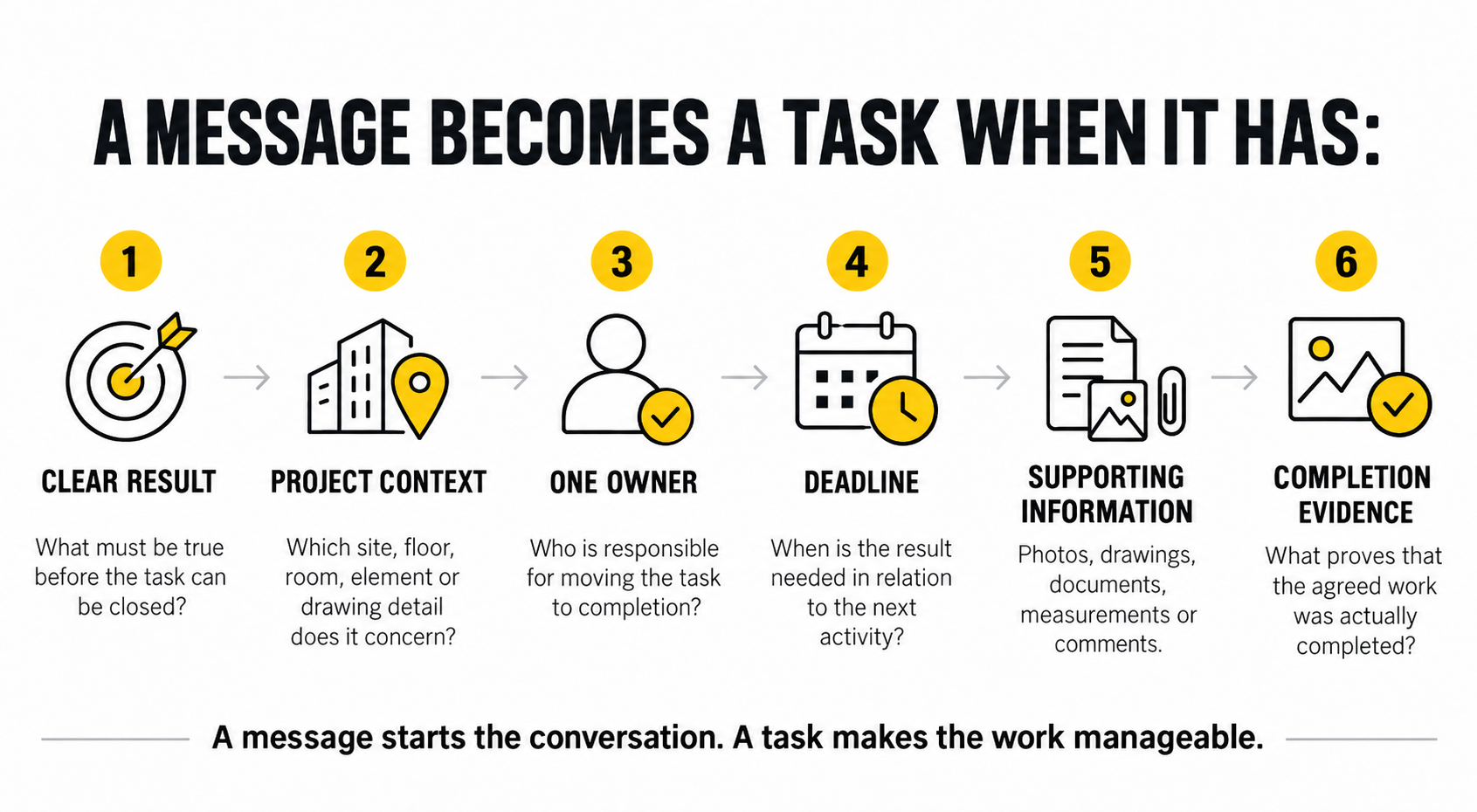
At minimum, the task needs six elements:
A clear expected result: what must be true before the task can be considered complete.
Project and location context: which site, building, floor, room, drawing detail or element the task concerns.
One responsible owner: the person accountable for moving the task to completion.
A realistic deadline: when the result is needed in relation to the next activity or project milestone.
Supporting information: photographs, drawings, documents, measurements or comments needed to complete the work.
A completion record: the status and evidence that show what was actually done.
These elements do not have to create a long form. A task should still be quick to understand and practical to use on a phone. The purpose is not to add administration. It is to remove the questions, reminders and repeated explanations that appear when an instruction is incomplete.
Describe the result, not only the activity
Tasks often begin with a verb: check, repair, finish, deliver or confirm. The verb describes an activity, but it may not define the result. “Check the fire doors” can mean looking at them, testing them, listing defects or confirming that they are ready for inspection.
A stronger task explains what completion looks like. For example: “Inspect the fire doors on level two, record any missing labels or damaged closers and attach photographs of the identified defects by Thursday.” The person responsible can understand the scope, while the site manager knows what information should return.
The same principle applies to corrective work. “Fix the waterproofing” is too broad if the project contains several affected areas. A useful task identifies the location, the observed problem and the condition that needs to be achieved. If a drawing, photograph or inspection note already exists, it should remain connected to the task.
Good task wording reduces interpretation without trying to describe every movement of the worker. The task should make the required outcome clear while leaving the method to the person or trade responsible for carrying it out.
Responsibility should belong to one person
Several people may contribute to a construction task. A subcontractor may perform the work, a site engineer may provide a detail and the project manager may need to approve a change. Even so, one person should own the task.
Ownership does not mean that this person must complete every part personally. It means that somebody is responsible for moving the issue forward, obtaining missing information and confirming when the task is ready to close. When responsibility is assigned to “the team”, “the subcontractor” or everyone in a group chat, it often belongs to nobody in practice.
The task owner also provides a clear point for follow-up. Instead of asking an entire conversation whether something has been completed, the site manager knows who should provide the current status. That becomes increasingly important when one person manages dozens of open items across several areas or projects.
A task can be reassigned when responsibility changes. What should not happen is allowing the change to exist only in a phone call while the task still points to the wrong person. The current owner must remain visible.
A deadline should reflect the construction sequence
“Urgent” and “as soon as possible” are not reliable deadlines. On an active jobsite, many requests feel urgent, and each trade has its own list of priorities. A specific due date forces the project team to decide when the result is actually needed.
The deadline should reflect what happens next. If an installation must be inspected before the wall is closed, the task is due before the closing work begins. If a material decision affects an order with a long lead time, the decision date should allow the order to be placed without delaying the programme.
This is where task management connects with construction scheduling. The schedule shows the wider sequence and major dates. Tasks deal with the specific actions, issues and decisions required to keep that sequence moving. Not every task belongs in the Gantt chart, but a task that blocks an important phase should not remain invisible to the plan.
A missed deadline should also lead to a decision. The team needs to know whether the task can be recovered, whether the next activity must move or whether more resources are required. Simply leaving an overdue task open does not manage the consequence.
Completion needs evidence, not only a green status
Marking a task as complete is a statement. Evidence makes the statement useful to somebody who was not present when the work was carried out. Depending on the task, that evidence may be a photograph, checklist, measurement, signed inspection record, delivery document or short completion comment.
The level of evidence should match the risk. A routine housekeeping task may need only a status update. Repairing a visible finish may be confirmed with a photograph. Work that will be covered by concrete, plasterboard or waterproofing layers should be documented before the evidence disappears.
A photograph by itself is not always enough. It needs to remain connected to the right project, location and task. Otherwise the company has another image in a phone gallery without a reliable explanation of what it proves. The article on construction photo documentation explains why context is what turns a site photograph into useful project evidence.
Evidence also makes review more efficient. The site manager can decide whether the task is ready to close without repeating the original investigation. If the result is incomplete, the task can be returned with a clear explanation of what is still missing.
Not every message needs to become a task
Turning every conversation into a task would create unnecessary administration. A message such as “the delivery has arrived” may simply provide information. A quick question about access or the time of tomorrow’s meeting does not need an owner, deadline and completion evidence.
A message should become a task when the project needs to remember and follow an action. Typical examples include a defect that must be corrected, a decision required from a specific person, an inspection that must happen before work continues, a document that must be supplied or a missing item that could block another trade.
A simple test is to ask what happens if nobody acts on the message. If the answer involves delay, rework, additional cost, safety risk, an incomplete handover or a dispute about responsibility, the instruction probably deserves to become a task.
The communication channel can still remain useful as an input. A worker may report a problem in a message because that is the fastest option at the time. The important step is converting the issue into a project task before it disappears inside the conversation.
Use a simple task lifecycle
Construction task management does not need a complicated workflow. It needs a consistent one. The same basic lifecycle can work for defects, site instructions, document requests, inspections and ordinary project actions.
First, capture the issue while the context is still clear. Add the correct project, location and supporting photograph or document. Then describe the expected result, assign one owner and set a deadline that reflects the construction sequence.
The owner completes the work and updates the task with the required evidence. The person responsible for verification reviews the result and closes the task only when the agreed outcome has been achieved. If something is missing, the task returns to the owner with a specific comment instead of creating a new conversation about the same issue.
This creates one continuous record from identification to closure. The team can see what remains open, what is overdue, what is waiting for somebody else and what has been completed. Nobody has to reconstruct the history from separate calls and chat messages.
Task lists should support decisions, not create noise
A long task list is not automatically a sign of control. If hundreds of old, duplicated or vaguely written items remain open, people stop trusting the list. Important tasks become difficult to distinguish from minor reminders.
Tasks therefore need regular review. Items that are no longer relevant should be closed with an explanation. Duplicates should be combined, and blocked tasks should show what they are waiting for. The project team should be able to focus on the work that requires attention now.
Priority can help, but it should not replace deadlines and consequences. If everything is marked as critical, the label stops carrying information. A useful priority reflects the task’s effect on safety, quality, cost, handover or the next stage of work.
For companies running several jobsites, consistent task structure also improves the management view. An owner or operations manager does not need to read every site conversation. They need to see where important work is overdue, where one decision is blocking progress and which projects are accumulating unresolved issues.
How construction task management works in Stavario
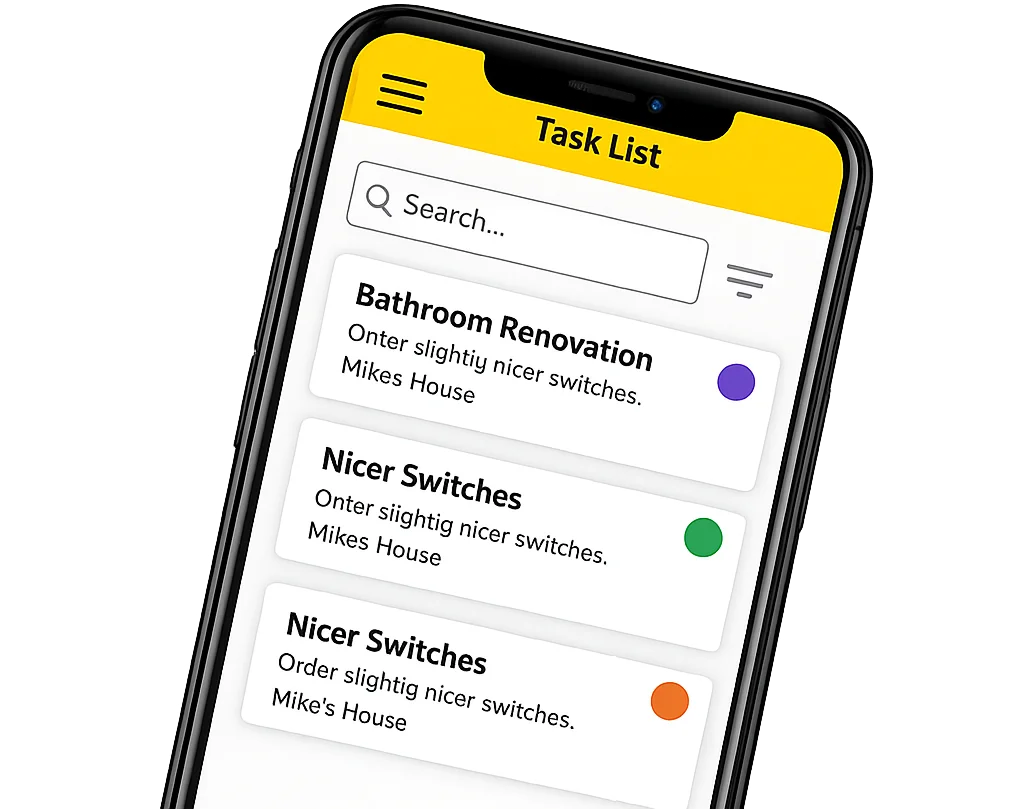
In Stavario, tasks and requirements remain connected to the construction project where they originated. A task can include a responsible person, deadline, checklist, attachments, photographs, completion status, notifications and discussion related directly to the item. This keeps the instruction and its context together instead of spreading them across separate messages and private phones.
Tasks can also sit alongside planning, construction logs, photo documentation and other project information. That matters because an unresolved site issue can affect the schedule, while a completed task may provide information needed for documentation or reporting. The task does not have to become an isolated entry in another application.
The purpose is not to prevent people from communicating by phone or message. Fast communication remains part of construction. Stavario provides a place where the actions that come out of those conversations can be assigned, tracked and closed.
A message says that something should happen. A managed task shows what needs to happen, who owns it, when it is due and what proves that it has been completed.
Turn site messages into work the team can close
Stavario connects construction tasks with the project, responsible people, deadlines, photographs and completion status. Site managers can keep open work visible, while the office and company management can understand what requires attention without searching through separate conversations.
Try Stavario for freeExplore tasks and requirements
Related pages on Stavario
Frequently asked questions

Josef Beneš
CEO Stavario
20+ years of experience in construction