
A construction schedule can look perfect on Monday and be wrong by Wednesday. A delivery is late, one trade needs two extra days, a crew stays longer on another job, and the next phase can no longer start as planned. Good scheduling software should not simply create a timeline. It should help the team understand what changes next when reality moves.
Creating a construction schedule is not the difficult part.
Most contractors can list the main phases of a project, assign dates and build a reasonable sequence of work. The real test begins when the first part of that sequence changes.
A delivery is delayed. A subcontractor cannot start on the agreed date. One trade needs two extra days. Weather stops external work. A client decision arrives later than expected. Suddenly, the problem is no longer one missed date.
The question becomes: what moves next?
That is where construction scheduling software either becomes useful or turns into another document that has to be maintained.
A schedule should help a team make decisions after the original plan changes. If it only shows what was supposed to happen, it quickly becomes a record of the past.
This matters even more when a contractor is running several jobs at the same time. A delay on one project may keep a crew occupied for longer than expected. That same crew may already be scheduled to start somewhere else. A piece of equipment may be needed on two sites. A subcontractor may have several tightly connected commitments.
The challenge is not simply scheduling each project.
It is understanding how changes move through the business.
A delay is rarely just one delayed task
Imagine a finishing phase that is due to complete on Friday.
Flooring is scheduled to start on Monday. A specialist crew is expected to move to another project after finishing. Material is booked for delivery. Another subcontractor is waiting for the space to become available.
On Thursday, it becomes clear that the current phase needs three more days.
Those three days are not the whole problem.
Can flooring still start? Does the crew remain on this project? Which other job was expecting them? Does the material delivery need to move? Is the subcontractor still available on the new date?
One change creates several decisions.
The faster those dependencies are visible, the more options the contractor has.
If nobody notices the conflict until Monday morning, the company is no longer planning. It is reacting.
That is why good construction scheduling software should help teams understand impact, not just dates.
A timeline is useful.
A timeline without context is not enough.
One project can be well planned while the company is badly scheduled
This is a common problem for growing contractors.
Each project manager can have a sensible schedule for their own job.
Project A needs one crew next week.
Project B needs the same crew next week.
Project C also assumes that a particular machine will be available on Tuesday.
None of the individual plans look unreasonable.
Together, they do not work.
The conflict only becomes visible at company level.
Construction scheduling therefore needs two perspectives.
The first is the project view. What happens on this job, in what order, and by when?
The second is the operations view. Which crews, equipment and specialist resources are shared across several jobs? That wider picture is also covered in the article on managing multiple construction projects without losing control.
Without both, a company can optimise each individual project and still create impossible commitments overall.
This is especially important when new work is sold.
A new project may fit perfectly into an empty schedule. The business, however, does not have an empty schedule. Existing projects have already reserved people, equipment and subcontractors.
If those commitments are not visible when a new start date is promised, capacity problems are simply pushed into the future.
A full order book is not the same as a realistic delivery plan.
Sometimes it is just a calendar full of future conflicts.
A good project schedule can still create a bad company schedule.When each job is planned separately, crews, equipment and subcontractors can be booked in two places at the same time without anyone seeing the conflict early enough.
The most dangerous schedule is one that looks current but is not
A contractor without a schedule knows that information is missing.
A contractor with a professional-looking but outdated schedule may assume the opposite.
That is more dangerous.
The first version of a plan is often carefully prepared. Dates are entered, phases are sequenced and responsibilities are clear. Then the site starts producing changes.
If every update requires editing several spreadsheets, changing dates in another tool and then manually telling everyone affected, the schedule gradually becomes harder to maintain.
Small changes are handled by phone or message.
The formal schedule is updated later.
Then later becomes Friday.
Friday becomes the next progress meeting.
Soon there are two versions of the project.
One is in the schedule.
The other is in phone calls, tasks, messages and the heads of the people actually running the job.
At that point, the schedule may still look organised, but it is no longer trusted.
And once site managers stop trusting the schedule, they confirm dates manually.
The business has digital scheduling software, but operationally it has returned to phone calls.
The goal should therefore not be to create the most detailed schedule possible.
The goal is to make it easy enough to update that people keep using it when the project changes.
A schedule only supports decisions if the team believes it reflects reality.
A Gantt chart is a view, not a planning strategy
Gantt charts are useful because construction is heavily dependent on sequence.
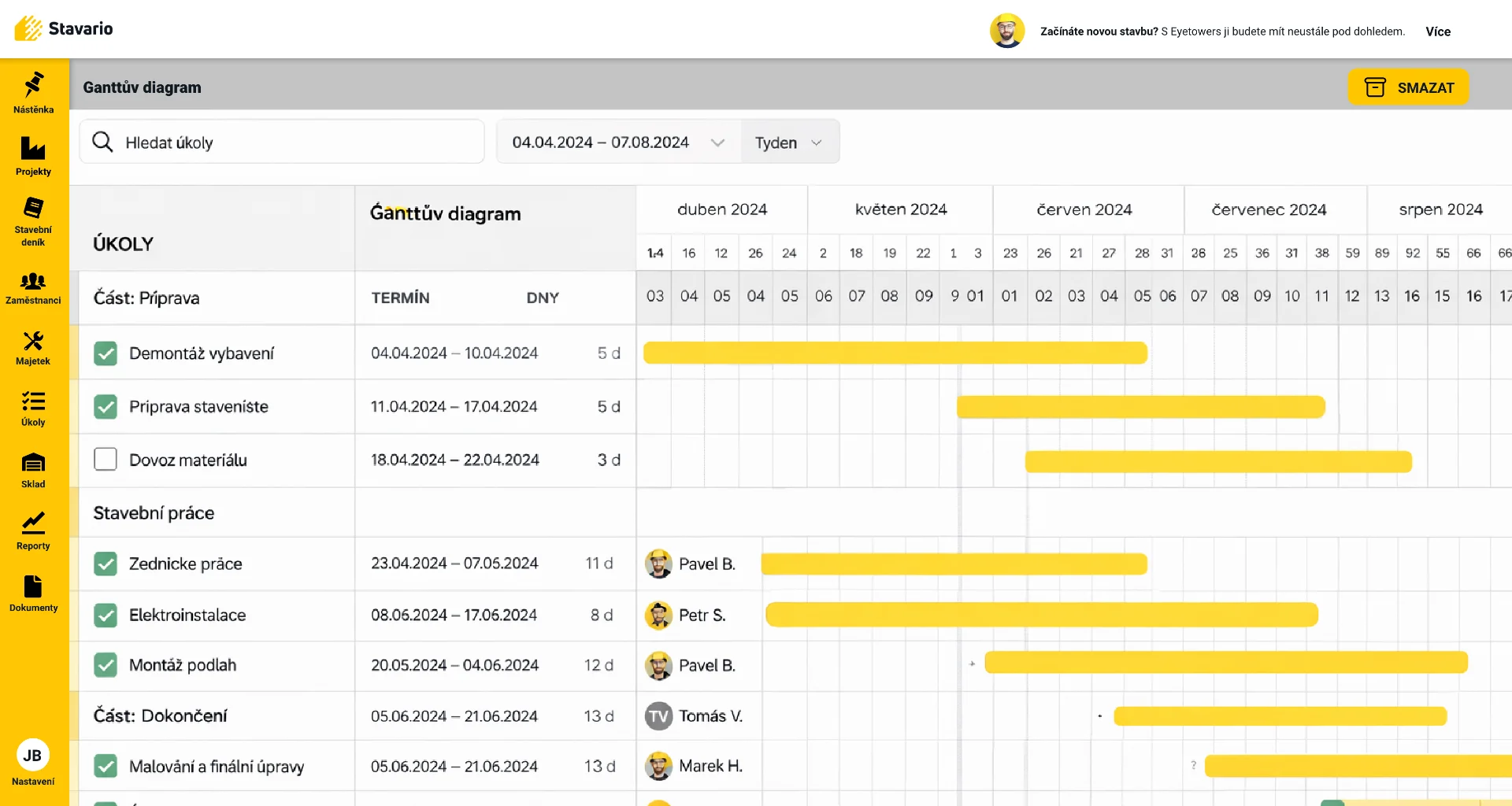
They show activities across time. They help teams see what is happening in parallel, what starts next and which phases overlap.
For construction, that visibility can be extremely valuable.
One trade often depends on another. A delay in first fix affects closing walls. Delayed screed can change flooring dates. External works may depend on access, weather or equipment.
A Gantt view makes these relationships easier to understand.
But the Gantt chart itself does not solve them.
A plan containing hundreds of small activities can look impressive and still be useless if nobody updates it.
The opposite is also true.
A schedule that says “interior works: six weeks” is easy to maintain, but it tells the project manager very little about sequence or dependencies.
The useful level of detail lies in the middle.
Major phases, important trades, deadlines and dependencies should be visible. The schedule should be detailed enough to support decisions but simple enough to remain alive during the project.
That is why the best Gantt plan is not necessarily the most detailed one.
It is the one the team is still using three months after mobilisation.
Start with capacity, not only target dates
Project schedules are often built from the desired timeline.
When do we want to start?
When should this phase finish?
When does the client expect completion?
These are necessary questions.
They are not enough.
A realistic schedule must also reflect the resources available to deliver it.
If one specialist crew is needed on three projects in the same week, three project schedules cannot all be correct.
The same applies to plant, equipment, key employees and subcontractors.
Every important phase therefore needs another question:
Who is going to deliver this work, and where else are they already committed?
This sounds basic.
In businesses where projects are planned in separate files, the answer can be surprisingly difficult to find.
One project manager knows one plan. Another knows the second. The owner knows the important dates. Nobody has a single view of all shared capacity.
That is how double-booking happens.
Construction scheduling software should help expose those conflicts before the week starts, not after the crew is already needed in two places.
You do not need the same level of detail six months ahead
One of the easiest ways to make scheduling too difficult is to plan the entire project at maximum detail from day one.
The further into the future a task sits, the more assumptions surround it.
The work scheduled for next week can be fairly specific.
The work scheduled four months from now depends on dozens of things that have not happened yet.
That does not mean long-term planning is pointless.
It means the level of detail should change with the time horizon.
The overall project needs a framework. Major phases, milestones, key dependencies and critical deadlines should be visible.
The next one to three weeks can be much more detailed.
That is where crews need to know what they are doing. Subcontractors need confirmation. Material deliveries matter. Blocking issues need to be cleared.
As the project moves forward, the detailed planning window moves with it.
This approach reduces unnecessary admin and keeps the schedule more realistic.
There is little value in building a highly detailed six-month plan that will be rewritten repeatedly.
There is significant value in having a reliable view of the next two weeks and understanding how those weeks fit into the wider programme.
Tasks and the schedule should not tell two different stories
Many contractors have a scheduling tool and a task management tool.
The problem begins when they describe two different versions of the same project.
The schedule says window installation starts on Monday.
The task list already says several openings are not ready.
The field team knows Monday will not happen.
The Gantt chart does not.
That gap is what makes schedules stale.
Not every task needs to become a line in the Gantt chart. That would create unnecessary detail.
But important site information should have a short path back into planning. It helps when tasks with owners and deadlines belong to the same project record as the programme itself.
If a task blocks a major phase, the schedule needs to reflect the consequences.
If a phase finishes early, freed capacity may become useful elsewhere.
If a site issue changes the next two weeks, the person responsible for planning should not discover it at the next weekly meeting.
Good scheduling is strongest when the project plan and daily execution sit close together.
The Gantt gives structure.
Tasks show what is happening now.
Field updates show what changed.
The more disconnected those things are, the faster the plan drifts away from reality.
The weekly meeting should be for decisions, not data collection
Construction businesses running several jobs often rely on weekly production or coordination meetings.
These meetings can be extremely valuable.
They can also become an expensive way to collect information that should already be available.
If the first twenty minutes are spent asking every project manager what is currently happening, the meeting is focused on the past.
Has this phase finished?
When is that subcontractor starting?
Is the crew still on site?
Did the delivery arrive?
Those facts should ideally be visible before the meeting begins.
Then the conversation can move to decisions.
Which project is at risk?
Where is a shared crew creating a conflict?
What needs to move?
Which subcontractor needs a revised date?
Where can unused capacity be reassigned?
That is a better use of management time.
Software does not replace the meeting.
It gives the meeting better inputs.
The people in the room still make the decisions.
They should simply spend less time reconstructing basic project status first.
What to look for in construction scheduling software
When contractors compare scheduling tools, it is easy to focus on whether the software has a Gantt chart.
That is a very low bar.
A more useful evaluation starts with everyday operating questions.
Can the team see project phases and dates clearly?
Can tasks and scheduled work stay connected?
Can schedules be updated without rebuilding the entire programme?
Can managers see more than one active project?
Can changes be understood before they create conflicts elsewhere?
Can the people who need the information actually access it?
And perhaps most importantly:
Will the site team produce the information needed to keep the plan current?
A powerful scheduling tool that depends on constant manual reconstruction will eventually become stale.
A simpler system connected to real project activity may be far more useful.
The software should reduce the distance between what happens on site and what the schedule says.
That is the real test.
Three questions reveal whether your scheduling process actually works
You do not need a complicated maturity model.
Ask three questions.
First:
What are the three biggest things that could affect our programme in the next two weeks?
If the answer only becomes obvious after one of them happens, the business is reacting more than planning.
Second:
If one major activity moves by three days, what else changes?
Which trade moves?
Which crew stays occupied?
Which other project expected that crew?
Does a delivery need to change?
Does a subcontractor need a new date?
If answering that question requires opening several files and calling multiple people, the information is probably too fragmented.
Third:
Do project managers trust the schedule?
If they confirm dates by phone even though the schedule exists, that is a strong signal.
Either the plan is not current enough, too detailed to maintain or too disconnected from daily work.
Good construction scheduling does not eliminate uncertainty.
It makes uncertainty visible earlier.
How scheduling works in Stavario
In Stavario, planning sits in the same environment as projects, tasks, construction logs, time tracking, assets, warehouses and other operational information. It is part of the wider construction management software.
That matters because the schedule does not have to live as a completely separate document outside day-to-day project work.
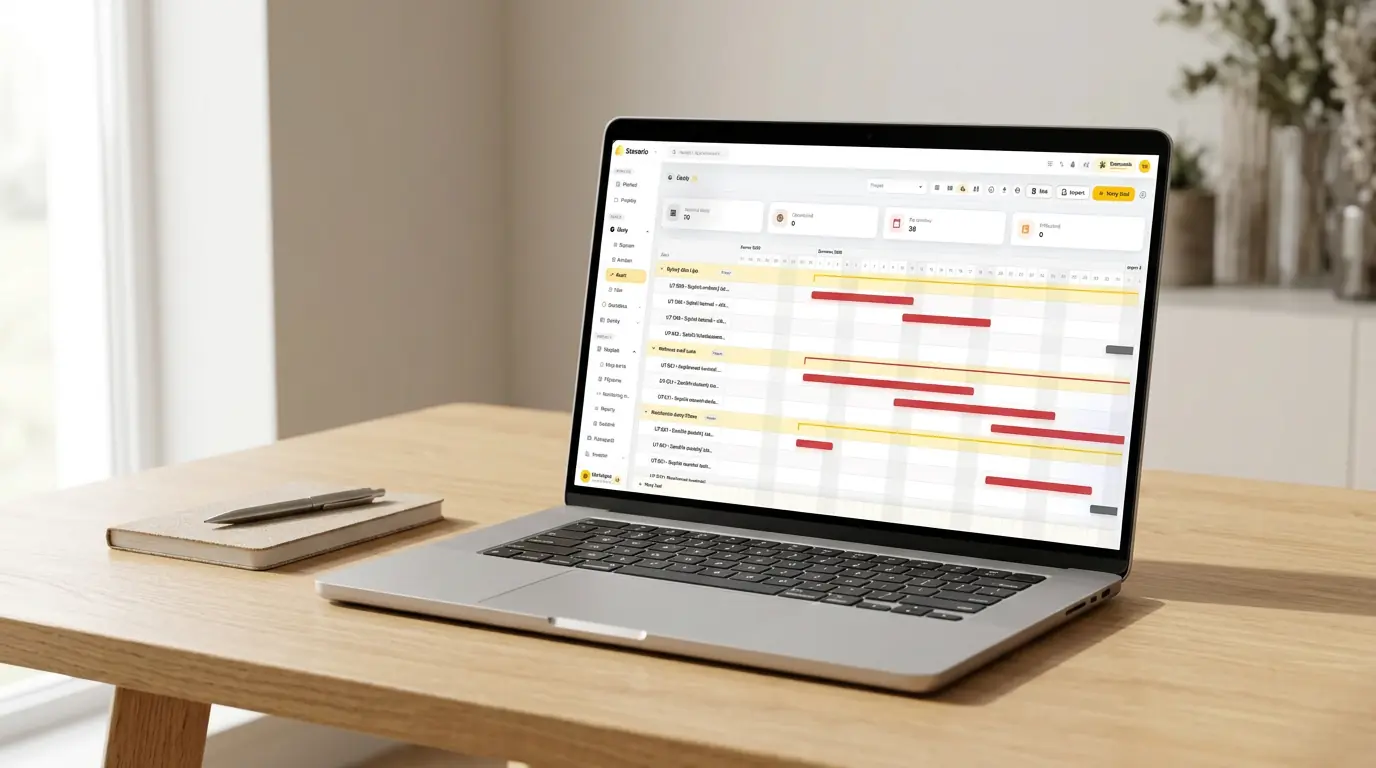
Teams can work with project dates, phases and a Gantt view while keeping tasks and other project information in the same system.
The goal is not to create the most complex project programme possible.
The goal is to keep a useful picture of what should happen next, what is already happening and where a change needs attention.
For businesses managing multiple jobs, this shared context also means schedules are not simply personal files owned by individual project managers.
Planning becomes part of the wider project record.
That makes it easier for office teams and management to understand what is happening without rebuilding the picture from several separate tools.
A construction schedule should not be a document that is created at the beginning and slowly becomes irrelevant.
It should remain a working part of the project.
The schedule should change before the site forces you to improvise.
In Stavario, planning, tasks and project information can stay in one system so changes do not have to be reconstructed later from separate files, calls and messages.
Start with two live projects, not a perfect company-wide schedule
If your business currently plans in spreadsheets, calendars or several separate tools, do not begin by migrating every project in maximum detail.
Choose two active jobs.
Plan the key activities for the next two weeks.
Add the important crews, trades and dates.
Then move one major phase by three days.
Now test the system.
How quickly can you see what else needs to change?
Which work moves?
Which crew remains occupied?
Which project expected that capacity next?
Who needs a revised date?
If those answers are easier to find than before, the scheduling process is beginning to add value.
Only then should you expand into more projects, longer time horizons or greater detail.
The best schedule is not the one that never changes.
On a real construction project, that would be unusual.
The best schedule is the one the company can change before the consequences of that change begin running the business.
Test scheduling on a real project
Add a live project, real tasks and real dates to Stavario. Then move one important phase and see whether the next decisions become easier to understand.
Frequently asked questions

Josef Beneš
CEO Stavario
20+ years of experience in construction